
Windows Edge Light & Privacy Glow. EdgeLight
Windows Edge Light is an ambient glowing screen perimeter overlay designed for Windows 10 & 11 that illuminates whenever your webcam is in use. EdgeLight detects Windows camera activation signals natively in real time, painting an ambient, click-through glowing screen border without ever capturing camera feeds or uploading telemetry.
The Visibility Problem
The physical laptop webcam LED is too small for modern work.
Calls happen across multi-monitor setups, ultrawide displays, and dock configurations. A microscopic hardware camera LED is easily overlooked when your attention is focused on the screen.
01
Browser tabs blur together
Privacy signals should live where your attention already is: the ambient edge of the display.
02
Meeting apps hide in the background
Privacy signals should live where your attention already is: the ambient edge of the display.
03
Camera state should be ambient
Privacy signals should live where your attention already is: the ambient edge of the display.
The Ambient Solution
How EdgeLight transforms webcam privacy into an ambient screen glow.
EdgeLight surrounds your display with a smooth, cinematic border aura whenever any webcam opens, keeping camera status immediately obvious without distracting your workflow.
EdgeLight starts silently with Windows and waits in the tray.
When any app activates the webcam, the screen edge lights up instantly.
The glow stays alive until every camera session closes.
Architecture
Real-Time Windows registry detection & zero-latency screen glow.
EdgeLight listens to native Windows camera capability signals locally, paints a hardware-accelerated click-through border, and fades away the instant all camera sessions terminate.
Registry camera signal
Designed to feel ambient, not intrusive, while keeping privacy status impossible to ignore across all monitors.
Click-through overlay
Designed to feel ambient, not intrusive, while keeping privacy status impossible to ignore across all monitors.
Multi-display routing
Designed to feel ambient, not intrusive, while keeping privacy status impossible to ignore across all monitors.
Comparison
EdgeLight vs. Traditional Webcam Privacy Indicators
Why an ambient Windows edge glow outperforms physical laptop LEDs, screen capture software, and disruptive popups.
| Evaluation Criteria | EdgeLight | Laptop Webcam LED | Generic Screen Recorders | System Popups |
|---|---|---|---|---|
| Multi-Monitor Visibility | ✓ Spans all screens | ✗ Laptop bezel only | Partial | ✗ Single screen |
| Camera Feed Interception | ✓ 0 bytes read (Registry only) | N/A (Hardware) | ✗ Reads full video stream | N/A |
| Click-Through Transparency | ✓ 100% click pass-through | N/A | ✗ Often blocks clicks/UI | ✗ Requires dismissal |
| Cloud Telemetry & Accounts | ✓ 100% offline & local | None | ✗ Cloud accounts & analytics | OS telemetry |
| System Resource Footprint | ✓ <15 MB RAM, 0% CPU idle | 0 MB | ✗ 300–600 MB (Electron) | System overhead |
| Aesthetic Customization | ✓ Thickness, brightness, hue | ✗ Fixed green/white dot | Limited | ✗ Fixed theme |
Real-world Scenarios
Built for midnight builders, gamers, creators, & professionals.
EdgeLight integrates into your nocturnal Windows workflow. Here is how power users keep their workspace private, glare-free, and immersive.
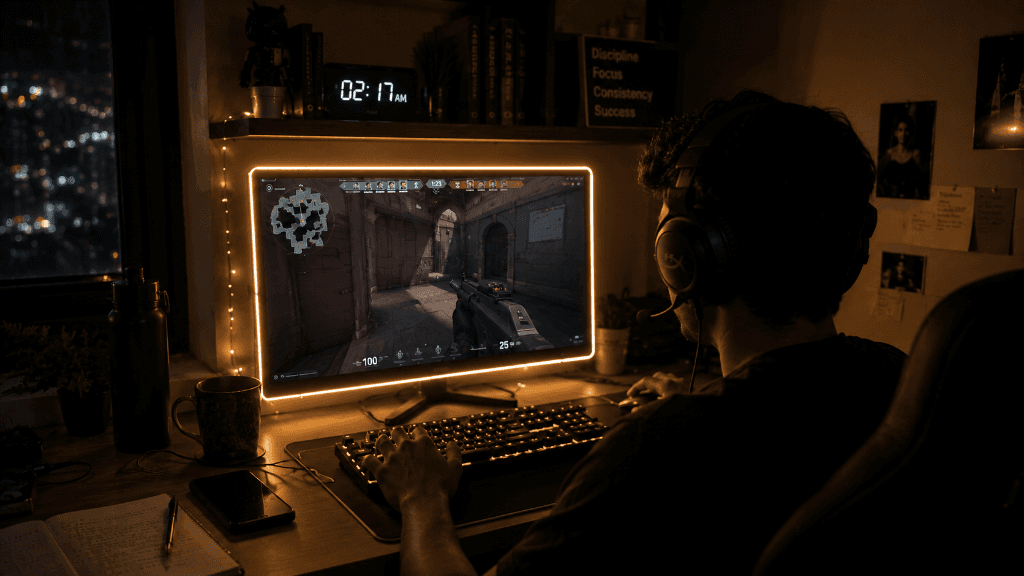
Late-Night Gaming & Streaming
Keep your focus on high-stakes games like Valorant in dark rooms. EdgeLight acts as a dynamic ambient backing, turning your webcam's active presence into a cinematic border that doesn't distract you from the action.

Creative Drawing & UI Design
Creators and digital artists working late into the night get a soothing screen border that provides perfect, low-glare desk illumination while sketching or editing portrait artwork.
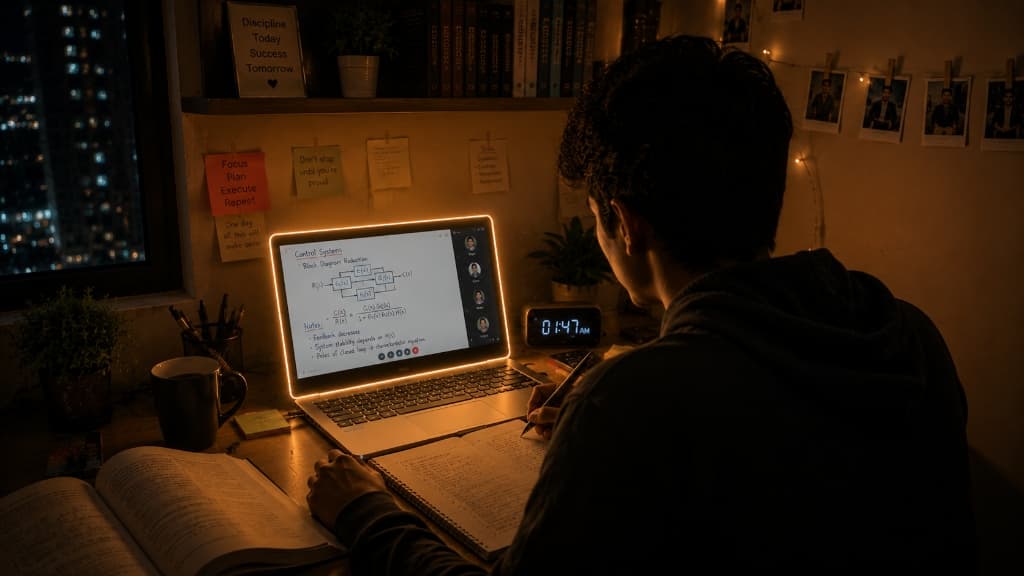
Midnight Study & Control Systems
Analyze equations, diagrams, and code comfortably. EdgeLight gives your desk setup a soft, glare-free aura, keeping you awake and focused without harsh overhead lights.
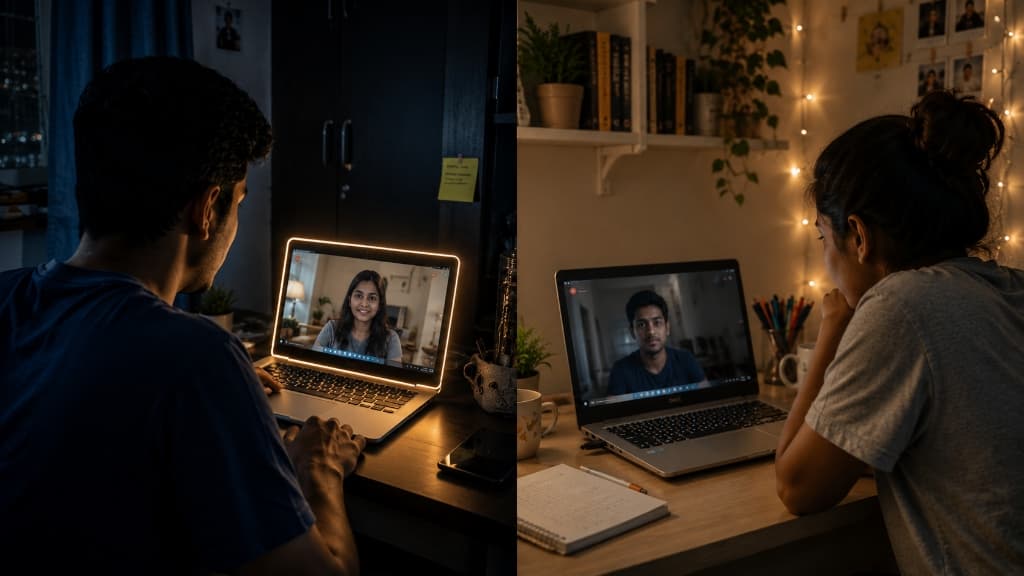 Without Glow
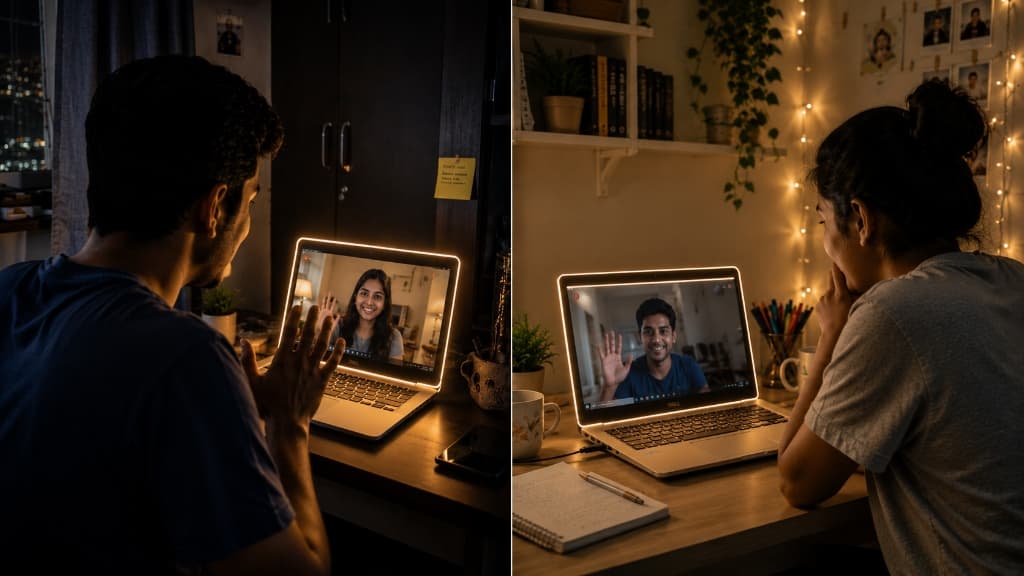 With EdgeLight
Secure Interactive Video Meetings
Instant before/after comparison: A standard video call leaves your screen dark and plain, but with EdgeLight, your entire display perimeter glows with warm, privacy-reinforcing ambient light to indicate active camera usage.
100% Local Privacy
A Windows privacy utility that never asks you to trust a cloud.
EdgeLight is local-first. It does not open the camera stream, collect telemetry analytics, or send meeting metadata anywhere.
Zero camera feed access
EdgeLight reacts to Windows camera activity signals without reading pixels, frames, audio, or images.
Fluent desktop presence
A click-through border that feels native to Windows 11, not like a notification fighting for attention.
Multi-monitor aware
The privacy signal follows your real workspace, lighting up every display that should be visible.
Local by design
No account, no analytics pipeline, no upload path. Your privacy indicator stays on your machine.
System Tray Controls
Customizable Windows edge glow settings with a tiny footprint.
Every control is there for a reason: tune the glow thickness, adjust color temperature, preview the effect, and let it fade into your daily workflow.
Brightness
Precision control from the tray.
Thickness
Precision control from the tray.
Temperature
Precision control from the tray.
Startup
Precision control from the tray.
FAQ
Frequently Asked Questions about EdgeLight & Privacy
Everything you need to know about the EdgeLight webcam indicator, privacy protection, and screen glow customization.
Q: What is Windows Edge Light & Edge Glow?
EdgeLight is an ambient screen border overlay and webcam privacy ring for Windows 10 & 11. Whenever any camera app becomes active, it paints a warm, cinematic edge light glow around the perimeter of your display.
Q: How does EdgeLight detect webcam activity on Windows?
EdgeLight monitors local Windows system registry camera activation signals natively in real time. It never opens or reads camera pixels, video streams, or audio feeds.
Q: How does EdgeLight differ from standard webcam lights?
Built-in laptop camera LEDs are tiny and easily overlooked when working across multiple monitors. EdgeLight creates a high-visibility screen edge light aura around your entire desktop display so you always know when your camera is active.
Q: Is EdgeLight compatible with Windows 10 & Windows 11 multi-monitor setups?
Yes! EdgeLight is built natively for 64-bit Windows 10 and Windows 11 operating systems, with full multi-monitor support and high-DPI display scaling.
Q: How do I download and activate EdgeLight?
After completing secure checkout via Razorpay on fits.ninja, you receive instant download access and confirmation email. Enter your delivery email address inside the EdgeLight Windows desktop app to unlock your lifetime access.
Instant Windows Download
Subscribe, download, and activate your Windows edge light.
EdgeLight unlocks after Razorpay verifies the subscription. One license is ₹200 INR (~$2.40 USD) per user for 3 months access on Windows 10 & Windows 11.
One-Time Payment
₹200.00
per seat (Lifetime lock)